AI Image to Video Generator
0 / 20000
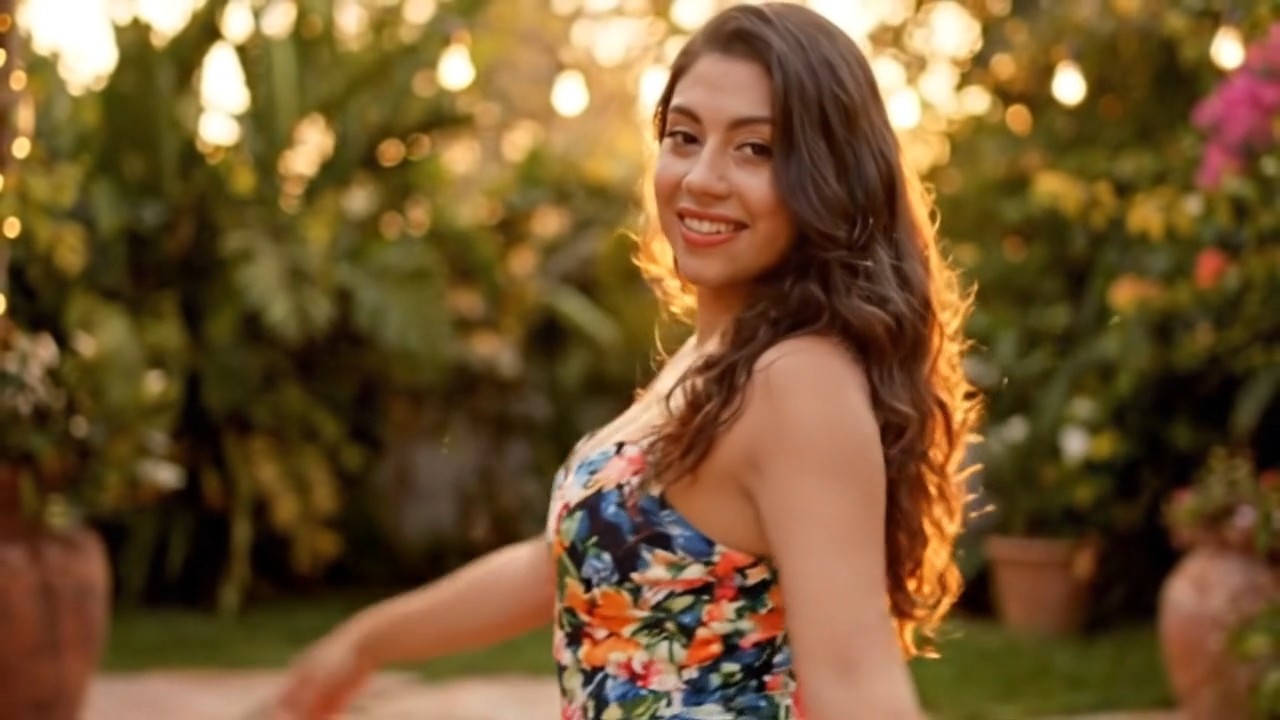
Generate a TikTok-style sway dance from the uploaded photo: the person lifts both arms behind the head and swings hips side-to-side in a smooth repeating loop, playful expression, ends with a flirty wink. No camera movement, warm soft lighting.
My Creations
Sign in to keep your generations here
Inspiration
Click any card to previewGenerate a TikTok-style sway dance from the uploaded photo: the person lifts both arms behind the head and swings hips side-to-side in a smooth repeating loop, playful expression, ends with a flirty wink. No camera movement, warm soft lighting.
Preview & reuse settings
Turn the person in the photo into Santa Claus — red suit, hat and silver beard — sitting on a reindeer-pulled sled through a snowy pine forest, falling snow, festive Jingle Bells mood.
Preview & reuse settings
Bring the photo to life as a Pixar-style 3D animation: the woman opens the front door and peers into the hallway with a worried expression, warm interior lighting, cinematic character animation.
Preview & reuse settings
Create a cinematic 3D voxel sandbox animation from the photo: transform every character, object, building, plant and terrain into cubic voxel forms — block-built world, pixel-textured surfaces, floating islands over lava, volumetric light rays.
Preview & reuse settings
Tip: describe the subject, motion, and camera move — one clear action per clip. Draft at 480p first, then re-render the winner at a higher resolution.
What Is Image to Video AI
Turn a photo into a video with AI models including Seedance 2.5, Wan 3.0, and Kling 3.0, alongside Veo 3.1. Upload a product image, portrait, or artwork, then describe the subject movement and camera motion. Choose frame-based or reference-guided generation where supported to shape how your image becomes a video.
AI Video Models for Image to Video
Access the world's leading AI video models on China AI Tools. Each model offers unique strengths for different creative needs.
Seedance 2.5
ByteDance
30-Second Clips · Reference Control
Animate a starting image or guide your video with reference images, video, and audio. Seedance 2.5 supports 4–30 second clips at 480p, 720p, or 1080p, with separate frame and reference modes.
- 4–30s clips
- 480p / 720p / 1080p
- Frame & reference inputs
- Image, video & audio references
Veo 3.1
Google DeepMind
Cinematic Quality · Native Audio
Google's cinematic AI video model generates 4-8 second clips at 720p/1080p/4K with native audio. Supports first and last frame control, reference images for style guidance, and scene extension to create videos up to 60 seconds.
- 4-8s clips, extendable
- 720p/1080p/4K
- Frame control
- Scene extension
Kling 3.0
Kuaishou
Fastest · Audio-Visual Sync
Kuaishou's Kling 3.0 adds a 4K mode and a multi-shot AI Director, building on Kling 2.6's simultaneous audio-visual generation in a single pass. World-leading Mandarin voice generation, enhanced motion control for complex actions like dance and martial arts.
- 3–15s videos
- Voice control
- Motion capture
- Mandarin & English audio
Wan 3.0
Alibaba
1080p · Multimodal References
Use a starting image, an ending frame, or reference media to guide a Wan 3.0 video. Choose output up to 1080p and describe how the subject and camera should move.
- Up to 30s
- 480p / 720p / 1080p
- Multimodal references
- Optional audio
Seedance 2
ByteDance
Up to 4K · Portrait Lip Sync
ByteDance's advanced video model transforms still images into motion content at up to 4K resolution with co-generated audio, and accepts audio as a reference input for precise control. Industry-leading lip synchronization across 8+ languages brings portrait photos to life with authentic speech. Physics-aware animation handles complex motion from flowing fabric to liquid dynamics.
- Up to 15s videos
- Up to 4K resolution
- 8+ language lip sync
- Physics-aware motion
Kling 2.6 and Wan 2.6 are also available in the model selector. For Wan 3.0, reference-video duration and generated duration share a combined 30-second limit.
Best Photo to Video AI Generator
Upload your image and watch it come to life with AI. Our image to video generator transforms static photos into dynamic videos with smooth animation and AI-generated audio. Perfect for social media content, marketing campaigns, and creative projects. Choose from multiple AI models to find the perfect style for your needs.
Image to Video Use Cases
Discover what you can create with AI image to video technology. From photo animation to product showcases, generate professional videos for any purpose.
Photo Animation
Animate East Asian fashion and lifestyle photos
Turn hanfu, qipao, and modern East Asian fashion shoots into runway-style videos. Seedance 2 animates fabric flow and body movement while Kling 2.6 adds Mandarin commentary — perfect for Xiaohongshu outfit reveals and Taobao listing upgrades.
Product Showcases
Create Taobao and JD listing videos
Transform product flat-lays into 360-degree rotation videos that meet China's e-commerce standards. Generate white-background spins for Taobao main images, lifestyle context clips for JD detail pages, and unboxing sequences for Pinduoduo promotions.
Portrait Videos
Power China-market KOL and influencer content
Upload a headshot and create talking-head videos with Mandarin lip sync via Seedance 2. Ideal for Douyin product reviews, Xiaohongshu beauty tutorials, and WeChat video account updates — produce KOL-quality content without a camera crew.
Art Animation
Animate traditional East Asian artwork
Breathe life into ink-wash paintings (水墨画), gongbi illustrations, and paper-cut art. Wan 2.6 preserves brush stroke texture and ink diffusion patterns while adding gentle motion like flowing water or swaying bamboo, keeping the traditional aesthetic intact.
Memory Videos
Celebrate traditional festivals and family moments
Transform Spring Festival family portraits, Mid-Autumn reunion photos, and wedding banquet snapshots into cinematic video memories. Add traditional East Asian music, lantern glow effects, and warm narration for sharing on WeChat Moments.
Social Content
Scale across Douyin, Xiaohongshu, and Bilibili
Generate platform-ready videos from a single photo — 9:16 for Douyin dance trends, 1:1 square for Xiaohongshu lifestyle feeds, and 16:9 widescreen for Bilibili vlogs. Each output includes AI audio matching the platform's preferred content style.
Image to Video Prompt Examples
Learn how to write effective prompts for animating your images. Use these examples as templates for your own photo-to-video projects.
Qipao Fashion Catwalk
East Asian fashion e-commerce with Seedance 2
"The model in a silk qipao (旗袍) begins walking toward the camera with elegant posture. Fabric shimmers and sways with each step. Camera pulls back slowly to reveal the full embroidered pattern. A Mandarin voiceover describes the silk weave and floral motifs. East Asian luxury fashion, studio lighting with warm golden tones."
Lanzhou Beef Noodle Close-up
Food product animation with Kling 2.6
"Steam rises from a bowl of Lanzhou lamian (兰州拉面) as chopsticks lift stretchy hand-pulled noodles. The broth surface ripples gently, revealing slices of braised beef and fresh cilantro. Camera slowly orbits the bowl at table level. East Asian food photography, warm natural lighting, mouthwatering detail."
Classical Garden Timelapse
Travel content with Veo 3.1 scene extension
"A classical Suzhou garden (苏州园林) comes alive — koi fish glide through the pond, willow branches dance in the breeze, and shadows shift across the moongate archway. Camera drifts along the covered walkway. Peaceful guzheng music plays in the background. traditional East Asian architecture, golden hour lighting."
Calligraphy Stroke Animation
East Asian art animation with Wan 2.6
"Ink flows from a calligraphy brush writing the character 龍 (dragon) on rice paper. Each stroke appears with natural pressure variation, ink bleeding into the paper fibers. Camera slowly zooms in as the final dot is placed. Traditional shufa (书法) style, overhead angle, minimalist composition with red seal stamp."
Image Animation Tips
- • Add Mandarin narration - Use "Mandarin voiceover describing..." in prompts for Kling 2.6 to generate authentic Mandarin speech that matches the animated scene
- • Match East Asian art dynamics - For ink-wash paintings, specify "ink bleeding into paper" or "brush stroke appearing gradually" rather than generic motion to preserve traditional aesthetics
- • Use Seedance 2 for KOL content - Upload a portrait photo and add Mandarin lip-sync instructions to create talking-head videos for Douyin and Xiaohongshu without filming
- • Optimize for e-commerce listings - Specify white background 360-degree rotation for Taobao product videos, or lifestyle context shots for Xiaohongshu product reviews
How to Use Image to Video AI
Transform your photos into videos in three simple steps.
Upload Your Image
Add your photo — product shots, fashion photos, traditional artwork, or portraits. For China's e-commerce, use standard Taobao white-background images. For art animation, upload high-resolution scans of ink-wash or gongbi paintings.
Choose Model by Use Case
Pick the best model for your goal: Kling 2.6 for Mandarin-narrated product demos, Seedance 2 for Mandarin lip-sync KOL videos, Wan 2.6 for traditional art animation sequences, Veo 3.1 for scenic travel content, or HappyHorse 1.0 for multi-character reference scenes.
Export for China Platforms
Download in the right format — white-background rotation for Taobao listings, 9:16 vertical for Douyin, 1:1 square for Xiaohongshu, or 16:9 widescreen for Bilibili. All videos include AI-generated audio.
Image to Video AI Modes
Choose the perfect mode for your photo to video transformation.
Frames to Video
Use your image as the starting frame and optionally add an end frame. The AI creates smooth animation between your frames, perfect for precise camera movements and controlled transitions. Supported by Veo 3.1.
- Preserves original image content
- Optional end frame for controlled animation
- Scene extension for longer videos
Reference to Video
Use images as style references for AI video generation. The AI creates new content while maintaining visual consistency with your references. Upload up to 3 reference images with Veo 3.1.
- Upload multiple reference images
- Maintains style consistency
- Generates new creative content
More AI Tools
Explore our complete suite of AI generators for images and videos.
Image to Video AI FAQ
Common questions about AI video generation and our image to video tools.
Start Creating AI Videos Now
Join thousands of creators using China AI Tools to transform photos into stunning videos. Access Veo 3.1, HappyHorse 1.0, Kling 3.0, Wan 3.0, and Seedance 2.5 - the world's leading AI video models. Upload an image and experience professional video generation with AI audio.